


🏗️ Framework
Templates & Compiler
a) The hybrid preprocessor can serve complete workspaces — PR #71283
Angular’s new compiler pipeline can now build and serve a whole workspace. For example, Angular’s own tools can give it an angular.json file instead of sending files one by one.
This is internal groundwork. ng serve works as before, and applications need no changes.
b) The WASM preprocessor can run synchronously — PR #71313
Some tools need an immediate result and cannot wait for asynchronous work. Angular’s WASM preprocessor can now run inside those tools without an extra adapter.
This mainly helps Angular’s compiler tests and future tooling. Application code gets no new API, flag or migration.
c) New diagnostic for numeric CSS values without units — PR #63705
Binding a plain number to a CSS length property does nothing in the browser, because CSS needs a unit. Angular now has an extended template diagnostic, NumericCssPropertyRequiresUnit, that warns you about it at build time:
<!-- ⚠️ Warning: the browser ignores this value -->
<div [style.width]="500"></div>

<!-- ✅ Correct -->
<div [style.width.px]="500"></div>
<div [style.width]="'500px'"></div>
The message tells you which property is affected and suggests both fixes. It is a warning, so it does not break existing builds.
d) Errors for unknown bindings on <ng-template> — PR #69640
The type checker used to ignore a binding on <ng-template> when no directive read it, so a typo went unnoticed. With the new strictNgTemplateTypes option, it reports an error, as it already does on normal elements:
<!-- ❌ Error: no directive on this template has a `contxt` input -->
<ng-template [contxt]="data"></ng-template>
Turn it on with "strictNgTemplateTypes": true in angularCompilerOptions. It is off by default, and the option is temporary: the team plans to remove it in the next major version that allows breaking changes.
Core & Reactivity
a) Increment and decrement operators in event expressions — PR #70816
Template events now support ++ and --, so simple counters read like regular JavaScript:
<button type="button" (click)="quantity--">−</button>
<span>{{ quantity }}</span>
<button type="button" (click)="quantity++">+</button>
They work in event expressions, where writes are allowed. Signals still use update(), for example quantity.update((value: number) => value + 1).
b) Load deferred content earlier inside nested scrollers — PR #70187
@defer can now start loading content before it becomes visible inside a carousel or another nested scroller. Set that early-loading distance with scrollMargin:
@defer (on viewport({ scrollMargin: '200px' })) {
  <app-recommendations />
} @placeholder {
  <p>Loading recommendations...</p>
}
The option also works with prefetch and hydrate viewport triggers.
HTTP
a) HttpClient.query() for HTTP QUERY requests — PR #70858
QUERY is a new HTTP method (RFC 10008) for reads that need a body, such as a search with many filters. It is safe and cacheable like GET, but it carries a body like POST. HttpClient now supports it:
const products$ = this._http.query<Product[]>('/api/products/search', {
  category: 'books',
  maxPrice: 20,
});
During SSR, the HTTP transfer cache stores QUERY responses the same way as GET ones. Your server must support the QUERY method.
Router
a) Control focus after a navigation with focusReset — PR #71595
With withExperimentalPlatformNavigation(), the browser moves focus to the first autofocus element, or to the <body>, every time a navigation finishes. That breaks pages that update the URL while the user keeps typing, such as a filter field that writes its value to ?query=.
NavigationBehaviorOptions now accepts focusReset, with the same values as scroll ('manual' | 'after-transition'):
import { Component, inject } from '@angular/core';
import { Router } from '@angular/router';

@Component({
  template: `<input type="search" (input)="filter($any($event.target).value)" />`,
})
export class ProductFilter {
  private _router: Router = inject(Router);

  filter(query: string): void {
    this._router.navigate([], {
      queryParams: { query },
      queryParamsHandling: 'merge',
      scroll: 'manual',
      focusReset: 'manual',
    });
  }
}
With 'manual', the focus stays in the field. If you do not set it, navigations behave as before. The option is marked experimental and does nothing with the classic router, which never moves focus.
b) navigate() in RouterTestingHarness — PR #71379
RouterTestingHarness only had navigateByUrl, so passing query params or a fragment meant building the URL by hand. Now it has a navigate() method that mirrors Router.navigate:
const harness: RouterTestingHarness = await RouterTestingHarness.create();

const page: ProductsPage = await harness.navigate(
  ['/products'],
  { queryParams: { tab: 'reviews' }, fragment: 'details' },
  ProductsPage,
);
c) scroll input in RouterLink — PR #70963
router.navigate already had a scroll option, but links in templates could not use it. The classic case is tabs driven by a query param further down a page: with scrollPositionRestoration: 'top', every click sends the user back to the top. The workaround was replacing links with buttons, which loses href, “open in new tab” and routerLinkActive.
RouterLink now has a scroll input:
<a routerLink="/products/42" [queryParams]="{ tab: 'reviews' }" scroll="manual">Reviews</a>When the input is not used, the navigation extras stay exactly as before. One thing to keep in mind: any element that already has a scroll attribute from another directive now feeds this input too. With strictTemplates that shows up as a type error.
d) Reactive route resources with parallel dependent loading — PR #70587
Route resources (developer preview, enabled with withRouterResources()) now expose ctx.resources, a signal with the resources of the ancestor routes. A child resource can chain off a parent resource without waiting for it:
const routes: Routes = [
  {
    path: 'user/:id',
    resources: (ctx) => ({
      user: resource({
        params: () => ctx.params()['id'],
        loader: ({ params: id }) => fetchUser(id),
      }),
    }),
    children: [
      {
        path: 'details',
        component: UserDetails,
        resources: (ctx) => ({
          permissions: resource({
            params: ({ chain }) => chain(ctx.resources()['user']),
            loader: ({ params: user }) => fetchPermissions(user.role),
          }),
        }),
      },
    ],
  },
];
permissions stays in a loading state while user is in flight and starts its own fetch the moment user resolves, with no sequential waterfall at navigation time. Resources are inherited down the route tree, and a route’s own resource shadows an inherited one with the same name. Once setup finishes, ActivatedRoute.resources and ActivatedRouteSnapshot.resources hold the resolved resources as a plain dictionary.
e) View transitions are stable — PR #71486
Router view transitions leave experimental status. The team found no actionable issues and browser support has largely stabilized, so you can rely on withViewTransitions() in production code.
f) Error boundaries for routes — PR #71117
When a routed component fails, the router can now show a fallback component in its outlet instead of breaking the page. The layout, header and other outlets keep working:
{
  path: 'products/:id',
  component: ProductDetails,
  errorComponent: ProductError,
}
ProductError receives the error through an error input. withErrorBoundaries({ defaultErrorComponent, onError }) sets a fallback for every route and a hook to log errors. Components and route resources can also throw a RedirectCommand to send the user somewhere else. The feature is in developer preview.
Developer Tooling
a) debugging annotation for WebMCP tools — PR #71123
WebMCP added a debugging annotation that marks a tool as meant for development rather than for end-user agent interaction. declareExperimentalWebMcpTool now exposes it as an optional debugging?: boolean property.
Signal Forms tools set debugging: false internally, since forms are user-facing UI. Angular keeps that value fixed for now and waits for developers to ask for control over it.
Language Tooling
a) Smart selection ranges for Angular templates — PR #70693
Expand Selection and Shrink Selection now understand Angular templates. Starting inside name(), the editor can grow the selection from the expression to the interpolation, the element and then the @if block.
@if (showProfile()) {
  <span>{{ name() }}</span>
}
It works in external and inline templates, making template editing feel much closer to TypeScript editing.
🛠️ CLI & Build Tooling
Build System
a) Build Angular libraries without ng-packagr — PR #34106
Angular now has its own library builder, @angular/build:library. It packages libraries in the Angular Package Format and supports entry points, styles, assets and watch mode.
{
  "build": {
    "builder": "@angular/build:library",
    "options": {
      "tsConfig": "projects/ui/tsconfig.lib.json",
      "outputPath": "dist/ui"
    }
  }
}
Existing projects stay on ng-packagr until you choose to migrate them.
b) Test-specific polyfills in the unit-test builder — PR #34156
Tests can now have their own polyfills instead of always inheriting the application’s list:
{
  "options": {
    "polyfills": ["zone.js", "src/test-polyfills.ts"]
  }
}
Omit the option to keep inheriting from buildTarget, or use an empty array to load none.
c) Choose the file layout for prerendered routes — PR #34180
Static builds can store /products as products.html instead of products/index.html. This avoids an extra trailing-slash redirect on hosts that support the file layout.
{
  "outputMode": "static",
  "prerender": {
    "format": "file"
  }
}
The root route remains index.html. Server builds continue using the directory layout.
d) Oxfmt support for automatic formatting — PR #34460
Until now, Angular CLI’s automatic file formatting only worked with Prettier. If your project has oxfmt installed, the CLI now prefers it. Prettier remains the fallback, so projects without Oxfmt behave as before and need no changes.
📦 Migrations & Schematics
a) Optional migration to the new library builder — PR #34232
Angular CLI includes an optional migration to move libraries from ng-packagr to the new builder:
@angular-devkit/build-angular:ng-packagr
                    ↓
@angular/build:library
It also moves entry points and supported settings to their new locations. The migration is optional and skips JavaScript-based ng-packagr configuration files, which need a manual review.
b) ngClass migration now covers static strings and arrays — PR #70818
The ngclass-to-class migration only handled object literals. It now also converts static strings and arrays to [class]:
<!-- Before -->
<div [ngClass]="'first second'"></div>
<div [ngClass]="['first', 'second']"></div>

<!-- After ✅ -->
<div [class]="'first second'"></div>
<div [class]="['first', 'second']"></div>
It detects literals through the TypeScript parser, so expressions like isActive ? 'yes' : 'no' or 'a' + 'b' keep using NgClass. It also skips two cases on purpose: array entries that contain whitespace, because [class] would silently drop them, and expressions with a double quote, which would produce invalid HTML.
c) New libraries use the new builder, plus an entry-point schematic — PR #34645
ng generate library now sets up @angular/build:library with a single tsconfig.lib.json. To add a secondary entry point, such as my-lib/testing, there is a new schematic:
ng generate entry-point testingIt creates the files under src/testing/ and adds the path mapping to tsconfig.json. It only works with libraries that use the new builder.
⚠️ Breaking Changes & Deprecations
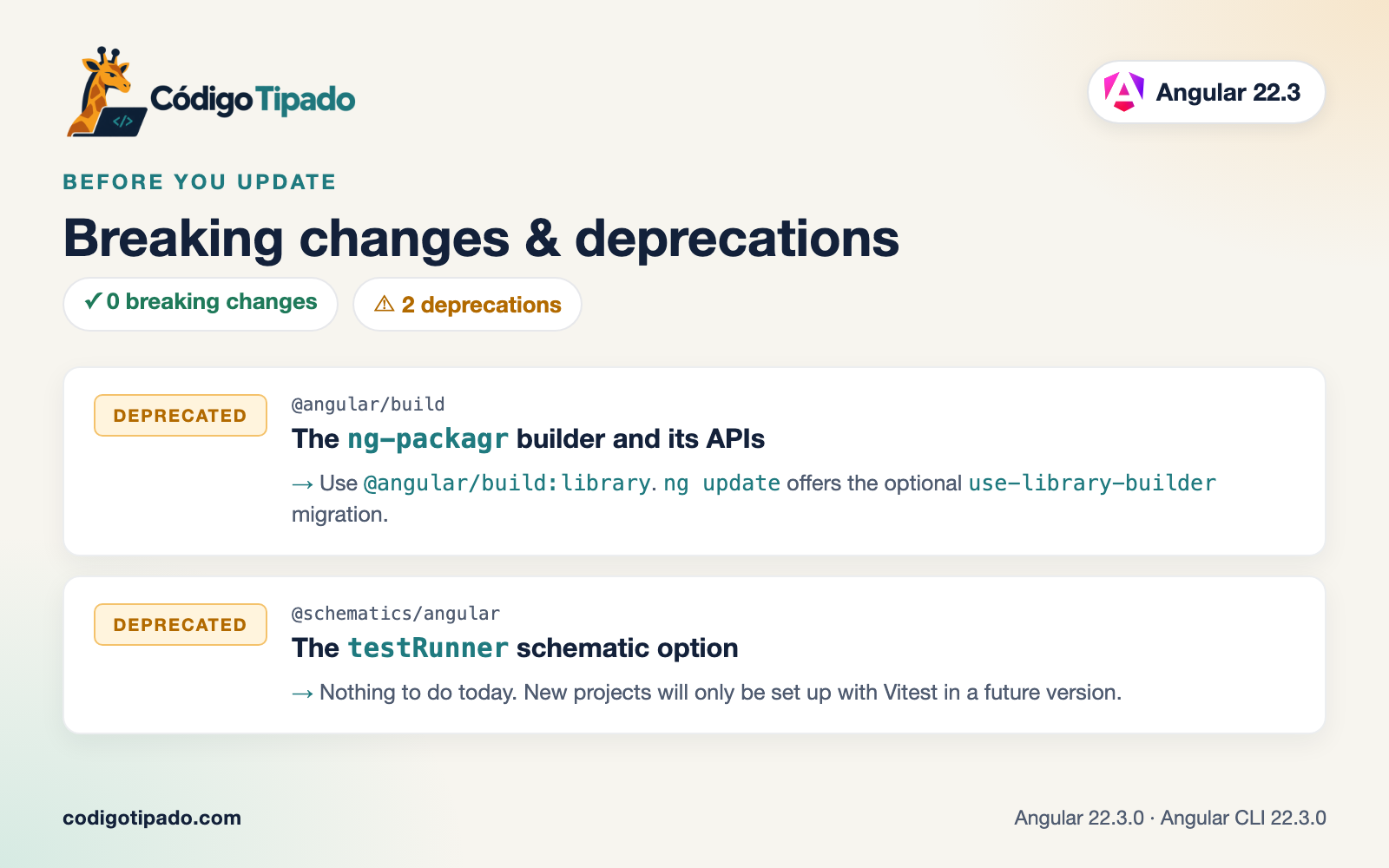
Breaking changes: none.
Deprecations:
The
ng-packagrbuilder and its APIs (@angular/build) — PR #34696@angular/build:ng-packagr,executeNgPackagrBuilderandNgPackagrBuilderOptionsare deprecated. Use@angular/build:libraryinstead;ng updateoffers the optionaluse-library-buildermigration.The
testRunnerschematic option (@schematics/angular) — PR #34697 The option in theapplication,libraryandng-newschematics is deprecated. Nothing to do today: new projects will only be set up with Vitest in a future version.
Thanks for reading so far 🙏
I’d like to have your feedback, so please leave a comment, clap or follow. 👏
Spread the Angular love! 💜
If you liked it, share it among your community, tech bros and whoever you want! 🚀👥
Don’t forget to follow me and stay in the loop: 📱
Thanks for being part of this Angular adventure! 👋😁